FAQ
Frequently Asked Questions
How do I share my list with my family?
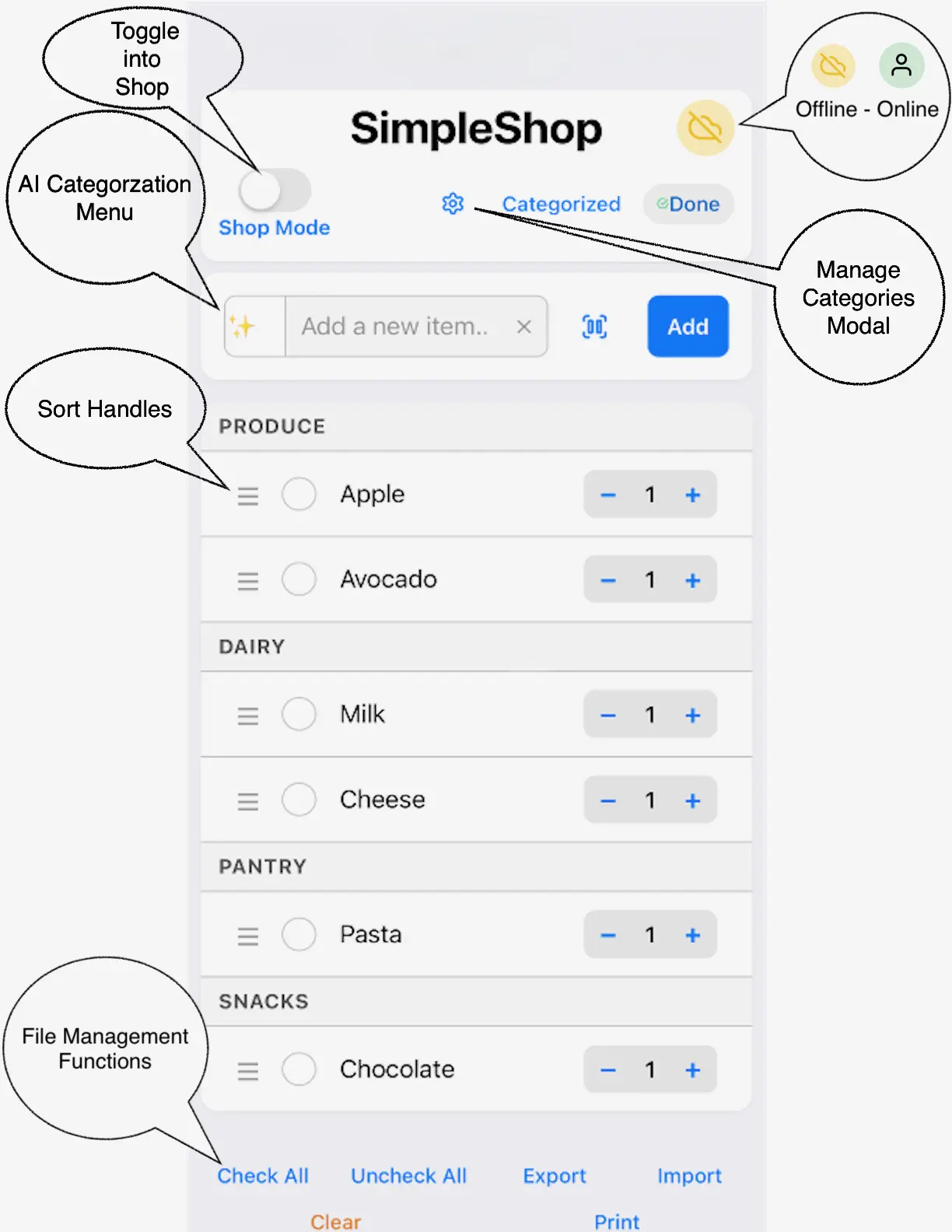
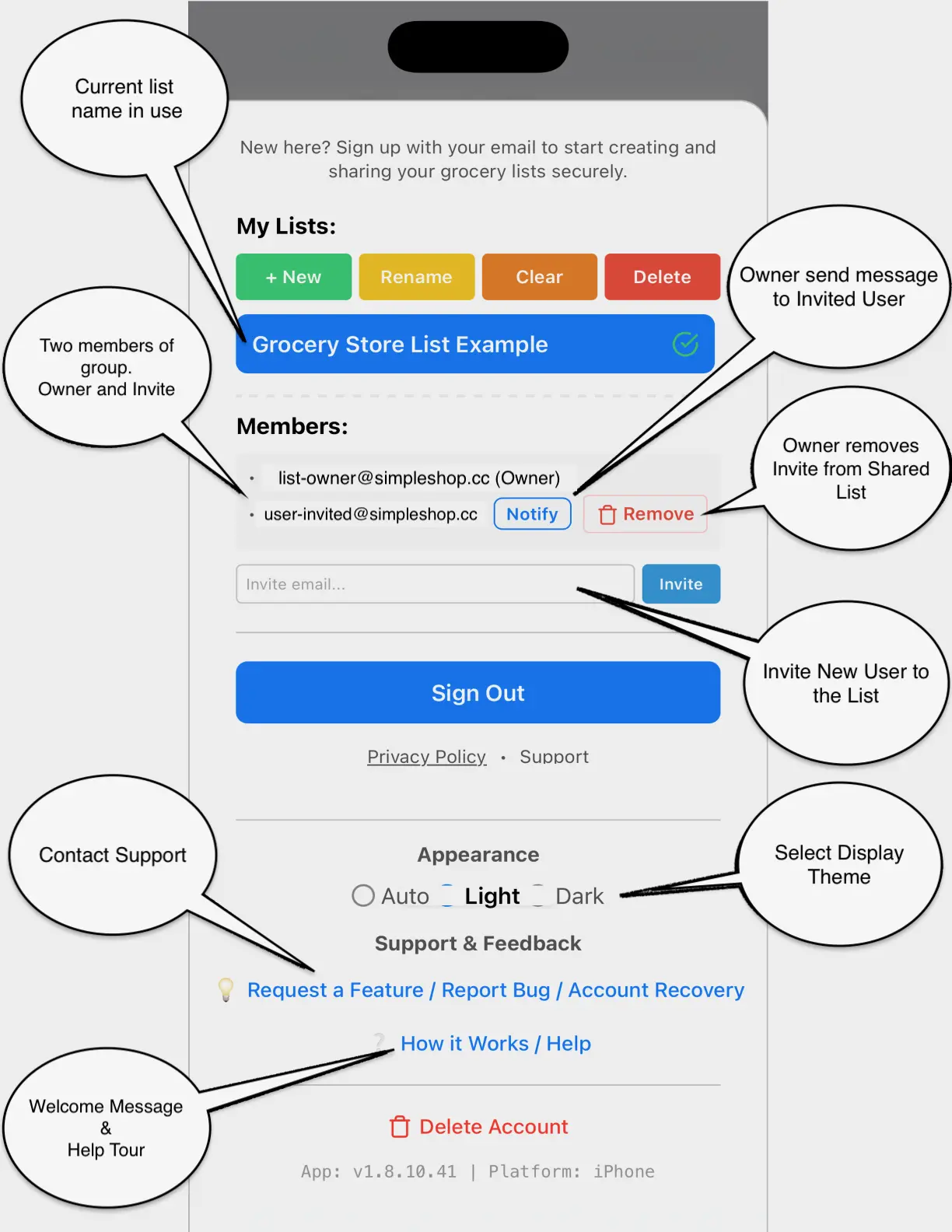
First, sign in with your email to enable cloud sync. Then, simply share your list name with your family members. Once they sign in and join that list name, all changes will sync instantly across your devices.
Does SimpleShop work offline?
Yes! You can add, edit, and check off items while in the store even without a signal. The app will automatically sync your changes as soon as you are back online.
How do I reset my password?
On the Sign In screen, tap the "Forgot Password?" link. Enter your email, and we will send you a secure link to reset your password immediately.
How do I remove duplicate items after importing or merging a list?
If you imported a list without creating a new list first, your items may have merged. You can use our free
SimpleShop List De-Duplicator Tool → to clean up duplicate entries in seconds while preserving your Planning Mode selections.
Is my data secure?
We use industry-standard encryption and Supabase infrastructure to protect your data. We only store the minimum information required for the app to function and never sell your data to third parties.